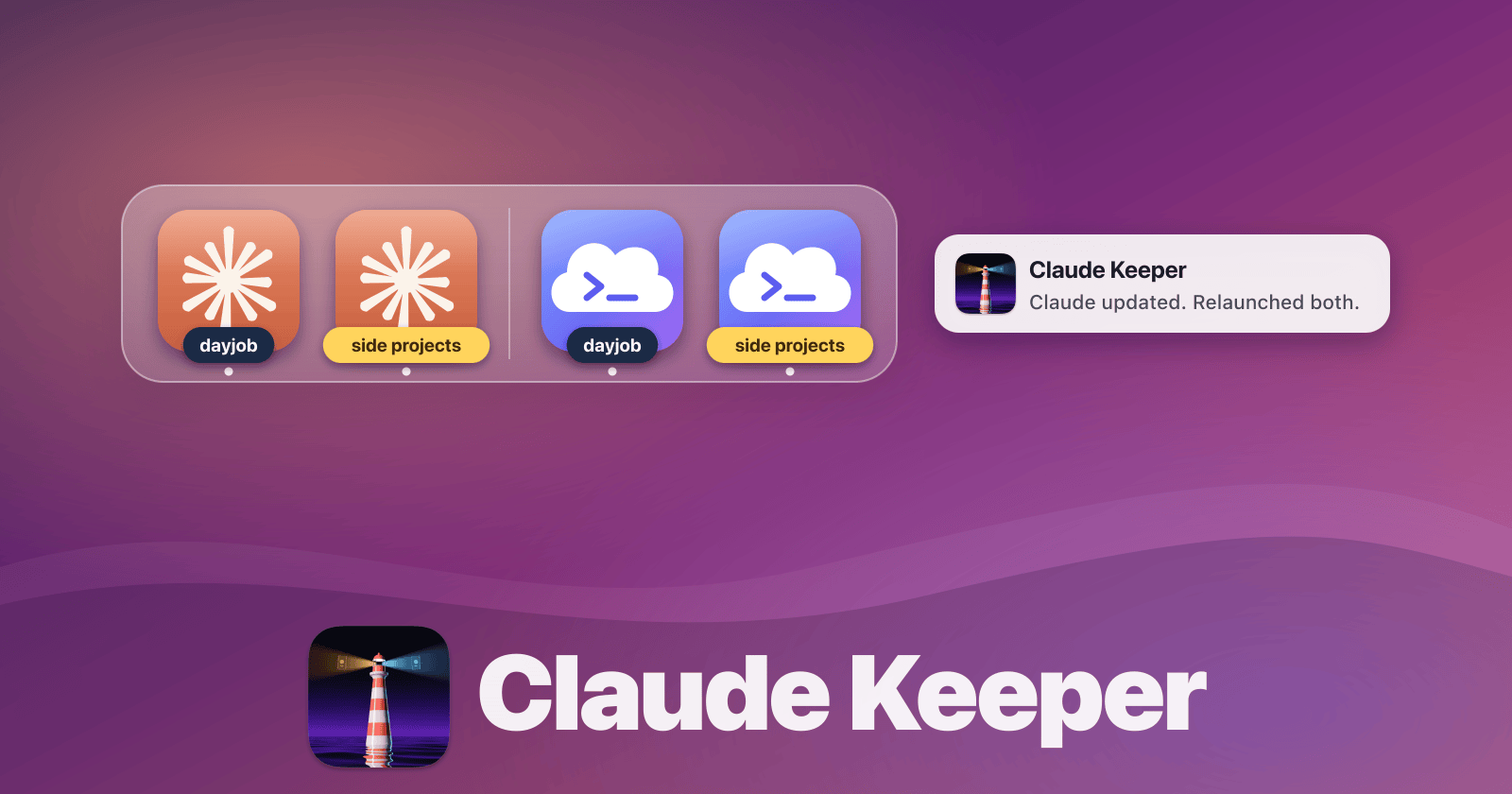
running claude with two separate accounts (and keeping them both running across self-updates)
(this blog post is mostly written by claude opus 5.5, based on the session where it and I built the thing it describes. -nevyn)
I run two copies of the Claude desktop app on each of my Macs: one signed in to my work account, and one to my personal account. I also keep them on separate virtual desktops, to separate the two domains.
Claude doesn’t support multiple accounts natively, so I used to hack it in with Parall, which is a neat utility that makes isolated copies of any Mac app. That way, they can have their own login and sessions. (These days Claude Keeper can make that copy for you, too; more on that below.)
This works great, right up until Claude updates itself, which it does several times a day. When it does, it quits both instances, and then relaunches only the unprefixed one, so a couple of times a day I’d come back to my desk and find that half of my sessions just weren’t there anymore, and whatever I’d asked them to do in the meantime hadn’t happened.
So I asked Claude to make a script that keeps both of them running at all times, unless I’ve quit one on purpose. And, as a bonus, to relaunch them on the right desktop. The result is claude-keeper, and getting it right took three tries, because the first one was built on a wrong idea of how the update actually works.
tldr: how to copy this setup for yourself
If you’re reading this blog, it’s highly likely that you also have two claude accounts, and some kind of crappy hacky setup to make that kinda work, just like me. You might run one in Desktop and another in CLI. With the keeper, my setup actually works fairly well, so here’s how to clone it:
-
Log into Account A in your normal, unprefixed Claude app. This’ll likely be the one you use from CLI too.
-
Download
Claude-Keeper.zipfrom the latest Claude Keeper release, unzip it, drag Claude Keeper into your Applications folder, and open it. -
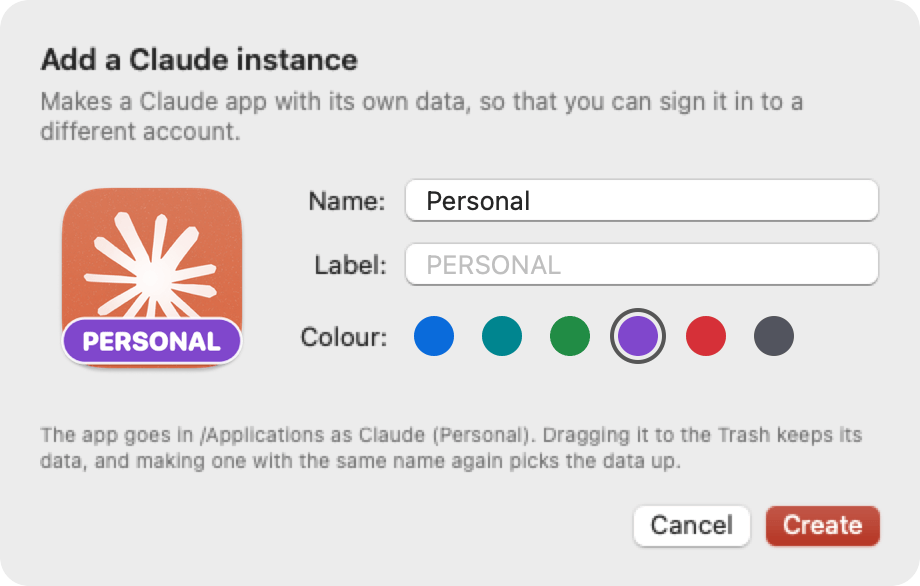
Click “Add Instance…”, give it a name and a label colour (e g “Account B”), so it’s clear which one is witch, and click Create. The new Claude opens; log into your other account there.
-
Follow the rest of the steps in the window to turn on the features you want.
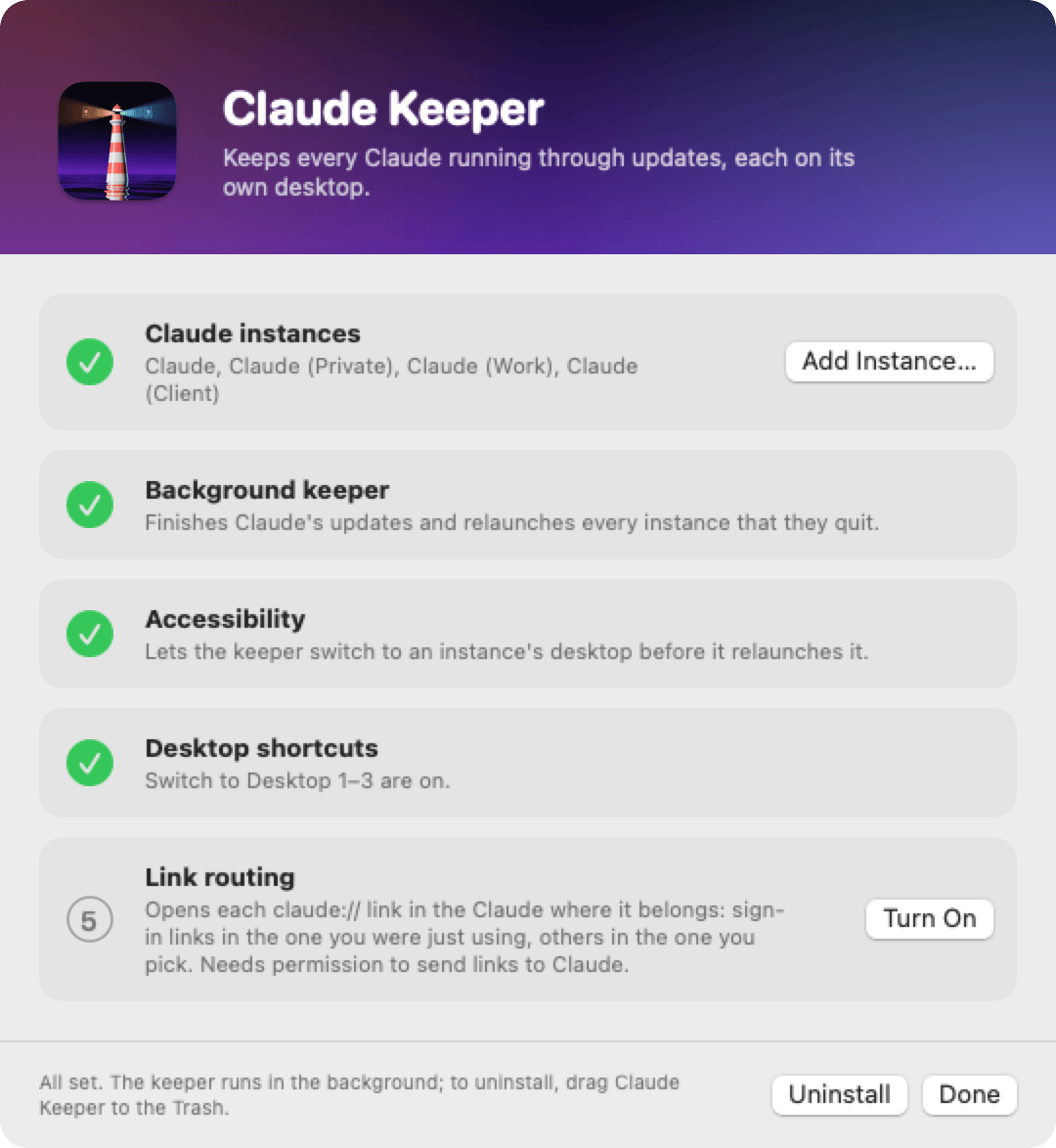
That’s it. Claude Keeper updates itself from now on, and to uninstall, drag it to the Trash. ~/Library/Logs/claude-keeper.log tells you what the keeper did and why.
Update 2026-10-29: by popular demand, Claude Keeper is now an app rather than a fiddly script. It also helps forward claude:// links to the instance of your choice, and helps cloning Claude, Parall-style.
the first try
With that out of the way, read on if you’re curious what keeper is actually doing behind the scenes.
The obvious design, and the one we built first, was to watch for the update restart: if the unprefixed Claude disappears and comes back within a few minutes with a different version number in its Info.plist, that was an update, and any other instance that disappeared at about the same time should be relaunched. If you quit one yourself, the version doesn’t change, so nothing happens.
The desktops part was more interesting. Dock’s “Assign To: This Desktop” option is keyed on bundle identifier, and both instances are the same app running the same binary (the Parall launcher just runs /Applications/Claude.app/Contents/MacOS/Claude --user-data-dir=...), so as far as macOS is concerned they’re the same app and can’t be assigned separately. There’s also no public API for moving another app’s window to a different desktop. Reading which desktop a window is on does work, with the private CGSCopySpacesForWindows call, so the keeper remembers where each instance’s window was last seen. To put it back, it switches to that desktop by posting the same “Switch to Desktop N” keyboard shortcut that I’d press myself (read from com.apple.symbolichotkeys, so it works with my odd Ctrl+Shift+E for desktop 7), launches the instance with open -n -g, waits for its window to appear, and then switches back to wherever I was. It’s a bit like moving furniture by walking into the room, putting the chair down, and walking out again, but it works.
That version passed its little self-test and got installed on both Macs. Then I came home in the evening and only the unprefixed instance was running.
what actually happens
Claude’s own logs (both instances write to the same ~/Library/Logs/Claude/main.log) told a different story from the one we’d assumed. Each instance downloads updates on its own, and when it has one ready and has been idle for a while, it quits itself to install it, which shows up as [stealth-update] Triggering stealth update after idle timeout. Then ShipIt, Squirrel’s installer process, is supposed to swap in the new Claude.app and launch it again.
The catch is that ShipIt waits until no process is running that bundle’s binary, and the Parall copy runs that same binary. So when my personal instance’s idle timer fired at 19:38, it quit to install the update, and then ShipIt sat there waiting for the work instance to quit too, which it didn’t, because I was using it. The personal instance just stayed gone. The install only happened at 20:10, when I quit the work instance myself to see what was going on, 0.4 seconds after it exited. On miquon it was the same thing the other way around: the work instance had quit itself, and the personal one was holding the update back.
So “both instances quit, and only one comes back” was only ever the lucky case, where both idle timers happened to fire together. The usual case was a deadlock, and no amount of watching for the unprefixed instance coming back with a new version would ever see one, because it never came back.
Digging around in the instances’ data directories found the signal that we actually needed. When Claude quits itself for an update, it writes a little file called update-attempt into its user-data directory, with the version it’s coming from and the one it’s going to, and the next launch reads and removes it. If an instance is down and that file is there, it quit for an update; if it isn’t there, I quit it myself, and it should stay quit.
the second try
With that, the keeper stopped waiting for the update to happen and started finishing it instead. Once it sees an instance that’s down with an update-attempt file, and the installed version is still the old one, it knows that the remaining instances are what’s blocking the install. Then it waits until I haven’t touched the keyboard or mouse for five minutes (read from IOKit’s HIDIdleTime), and until none of the Claude Code sessions in the remaining instances have done anything for five minutes either. Then it quits those instances the same way Cmd-Q would, ShipIt installs, and the keeper relaunches everything that the update or the keeper itself quit, each on its own desktop.
“Have the sessions done anything” turned out to need two signals. Every session is a claude CLI process under the app, with the tools it runs as child processes, and the obvious idea is to look at their CPU time, except that idle CLIs aren’t completely idle. A handful of idle CLIs on miquon added up to more CPU between them than the threshold, so an instance with a few open sessions would never have counted as quiet. The better signal is the session’s transcript in ~/.claude/projects, which gets appended to on every message and tool result, so the keeper takes the session id from each CLI’s --resume= argument and looks at when that file was last written. CPU is still checked, per session, because a ten-minute build writes nothing to the transcript until it’s done.
When the new version went in, miquon had been stuck for about fifty minutes, with a session still busy in a Rails project, so the keeper waited for that to finish before it did anything. This is what an update looks like now, from the next morning:
06:10:10 ["Claude"] quit to install Claude 3.6556.2; quitting ["Claude (PRIVATE)"] so that it can
06:10:11 quit Claude (PRIVATE) (pid 67618)
06:10:31 3.6556.2 installed; relaunching ["Claude (PRIVATE)"]
06:11:04 launched Claude (PRIVATE) (pid 60268) on desktop 2
That’s under a minute from the work instance deciding to update until both instances are running the new version, on a Friday morning when nobody was looking.
links go to the wrong Claude
Running two instances has one more papercut: links. When you connect a connector in Claude, the sign-in finishes in your browser, which then hands a claude:// link back to the app. macOS decides which app gets a link by its bundle identifier, and since both instances are the same app, it just picks one, which in practice was always the unprefixed one. So connecting a connector in my personal instance finished the sign-in in my work instance, where it failed.
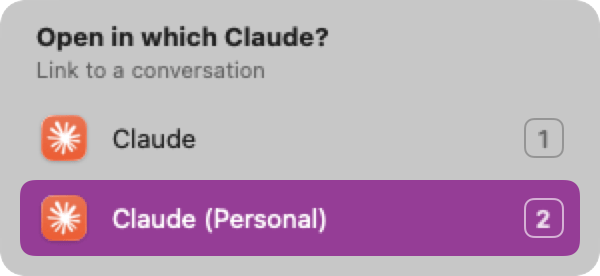
So Claude Keeper can now take over claude:// links. macOS hands each link to Claude Keeper instead, which forwards it to one specific running instance, by sending it the same “open this URL” Apple Event that macOS would have sent, just addressed to that one process. Sign-in links go to the Claude that you were last using, since that’s where you started signing in. Any other link, like a link to a conversation, pops up a small menu at the mouse pointer that asks which Claude should open it.
A few things were less obvious than they look:
- Asking macOS to open a link with the Parall launcher brings the right instance to the front, and then quietly throws the link away. We only noticed because we sent a link that Claude writes to its log, and the log line never showed up.
- Claude makes itself the
claude://handler again every time it launches, 5 to 11 seconds in, so the keeper checks every second and takes the links back. - The keeper runs as a LaunchAgent, which launchd starts outside of LaunchServices, and in such a process
NSWorkspace.frontmostApplicationnever changes. The spike had measured it in a process started withopen, where it works fine. The keeper now asks which app owns the frontmost window instead. - The chooser was invisible at first. macOS no longer lets an app that was launched in the background activate itself, and a panel hides itself while its app isn’t active. A Spotlight-style non-activating panel gets the keyboard anyway.
making the copies ourselves
I wanted to make Claude Keeper be the only tool you need to get full multi-account support, so I built the clone-an-app feature into Keeper, so it can make multiple instances of your Claude.
A Claude Keeper copy of Claude is tiny: an app in /Applications whose whole program is a two-line shell script that replaces itself with Claude’s own binary, pointed at its own data directory. Nothing of Claude is copied or re-signed, so Claude still updates itself as usual, and the copy keeps up for free.
small things that bit us along the way
- The unprefixed Claude won’t launch while the Parall copy is running, while launching the Parall copy second works fine. My best guess is that LaunchServices sees
Claude.appas already running and just activates it, while the Parall launcher runs the binary directly and never asks. So the keeper always launches the unprefixed one first. - Accessibility grants for an ad-hoc signed binary are tied to its exact hash, so every rebuild lost the grant, and I had to go back into System Settings each time. Signing with my Developer ID certificate made the grant stick across rebuilds, since TCC then checks the identifier and team instead of the hash. (Except over ssh, where codesign can’t get at the keychain, so for miquon we just copy the binary over.)
- The install script’s check for “is this binary signed by me” was
codesign -dv | grep -q, which underset -o pipefailsometimes fails, as far as we can tell becausegrep -qexits as soon as it finds a match, andcodesignthen dies of SIGPIPE while still writing. It worked fine for days, and then one day it didn’t, which is exactly the kind of bug that you never find by reading the script. - The first version politely waited for the screen to be unlocked before relaunching anything, so that it wouldn’t type desktop shortcuts into the login window. One night that meant that my personal instance stayed down from 05:22 until I opened the laptop at 07:31, which is a long time for remote sessions to be unreachable. Now it relaunches right away while the screen is locked and just skips the desktop dance, since running matters more than where.
The keeper lives in a GitHub repo, with signed releases, in case you also run more than one Claude. It depends on Claude internals, the update-attempt file and the quit-for-update behaviour, that nobody promised to keep, so it will probably break someday, and then I’ll find out from the log, which is more than I could say before.
comments